










Bad Chart! Bad, Bad Chart!
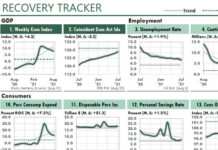
(Download my improved Excel version of the bad charts show below.)
The Wall Street Journal usually publishes excellent charts. And Excel users usually can duplicate those professional-quality...

How to Create and Use Dynamic Range Names in Excel
(Download the example workbooks.)
We Excel users often refer to ranges that need to move or expand in future versions of our reports. For example:
...
How to Create Monte Carlo Models and Forecasts Using Excel Data Tables
(Download the workbook.)
(This is the second of two articles about normal distributions. The first article is, How to Return Random Numbers from a Normal...

How to Return Random Numbers from a Normal Distribution for Your Excel Forecasts
(This is the first of two articles about normal distributions. The second article is, How to Create Monte Carlo Models and Forecasts Using Excel Data...

Introducing the Power of Year-Over-Year Performance Charts in Excel
The purpose of management reports should be to help readers find and track patterns of performance…quickly and easily.
That’s the attraction of charts, of course....
Beveridge-Chart Trend Analysis with Excel
Here's a great way to discover new insights in your company's data:
Always watch for new methods of looking at data...even if you care nothing...
Three Simple Tricks to Improve Analytical Charting in Excel
For years, my Excel charts of trends used a simple idea: To gain insights about periodic data, just chart it.
What else was there to...

Three More Simple Tricks to Improve Excel Charts for Business
In 3 Simple Tricks to Improve Analytical Charting in Excel, I showed you how to shift time periods, index your data, and chart your rate...

The Two Functions You MUST Know to Return Values from Excel Tables
“Export to Excel is the 3rd most common button in BI apps…after OK and Cancel.”
—Rob Collie, one of the founding engineers behind PowerPivot at...

How to Create Summarized Financial Statements with SUMIFS Criteria Lists
In How to Use SUMIFS with Criteria Lists, Summarizing Sales, I explained how to use the SUMPRODUCT function with SUMIFS to return the sum of...
Latest Articles

Getting Radical with Excel
It's time to think about Excel in a radical new way—when we use it to work with business or economic data.
It's time, in fact,...

How Fast Is Too Fast?
(Originally published in Inc Magazine.)
What typically tops the list of worries of the chief executive officers of fast growing companies? Financing that growth, according...

How to Smooth Data by Using the TREND Function
Years ago, I read that Prof. William S. Cleveland had suggested that data could be smoothed by calculating a centered trendline through adjacent data—a...
Advertisement